---
title: How to Audit B2B SaaS Content for Revenue Impact (Free Template)
description: Use this guide and free template to audit your B2B SaaS content, reduce waste, and focus investment on pages that move pipeline and expansion.
image: https://www.seo-growup.com/hubfs/How%20to%20Run%20Content%20Audits%20for%20B2B%20SaaS.webp
---
[Skip to main content](https://www.seo-growup.com/blog/b2b-saas-content-audit-guide#main)
[ ](https://www.seo-growup.com)
- [Show submenu for Services Services](https://www.seo-growup.com/b2b-saas-seo-services)
- [LLM SEO](https://www.seo-growup.com/llm-seo-agency-for-b2b-saas-companies)
- [Show submenu for SEO Audit SEO Audit](https://www.seo-growup.com/seo-audit-for-b2b-saas-companies)
- [LLM Visibility Audit](https://www.seo-growup.com/ai-search-audit-services)
- [Content Audit](https://www.seo-growup.com/b2b-saas-content-audit-services)
- [Copywriting Audit](https://www.seo-growup.com/website-copywriting-audit-service)
- [SEO Consultancy](https://www.seo-growup.com/seo-consultancy-for-b2b-saas-companies)
- [Fractional SEO](https://www.seo-growup.com/fractional-seo-consultancy-for-b2b-saas-companies)
- [Content Marketing](https://www.seo-growup.com/b2b-saas-content-marketing-agency)
- [Web Copywriting](https://www.seo-growup.com/b2b-saas-copywriting-agency)
- [SEO Link Building](https://www.seo-growup.com/b2b-saas-link-building-agency)
- [Pricing](https://www.seo-growup.com/pricing)
- Show submenu for Clients Clients
- Show submenu for By Stage By Stage
- [SEO for Startups](https://www.seo-growup.com/b2b-saas-startup-seo-agency)
- [SEO for Scale-Ups](https://www.seo-growup.com/seo-agency-for-b2b-saas-scaleups)
- [SEO for Enterprises](https://www.seo-growup.com/enterprise-b2b-saas-seo-agency)
- Show submenu for By Sector By Sector
- [ConTech](https://www.seo-growup.com/construction-tech-seo-agency)
- [EdTech](https://www.seo-growup.com/seo-agency-for-ed-tech)
- [FinTech](https://www.seo-growup.com/fintech-seo-agency)
- [HR Tech](https://www.seo-growup.com/seo-agency-for-hr-tech)
- Show submenu for Company Company
- [Why GrowUp](https://www.seo-growup.com/why-growup)
- [Success Stories](https://www.seo-growup.com/success-stories)
- Show submenu for Resources Resources
- Show submenu for Hub Hub
- [Vetting SEO Partners](https://www.seo-growup.com/choosing-a-b2b-saas-seo-partner)
- [Audit Engagements](https://www.seo-growup.com/b2b-saas-seo-audit-guide)
- [Blog](https://www.seo-growup.com/growup-blog)
- [eBooks & Templates](https://www.seo-growup.com/ebooks-and-templates)
- [GTM Prompt Library](https://www.seo-growup.com/gtm-prompt-library)
- [Past Newsletters](https://www.seo-growup.com/newsletter)
- [Glossary](https://www.seo-growup.com/glossary)
Open main navigation
Close main navigation
- Show submenu for Services Services
- Services
- [Services](https://www.seo-growup.com/b2b-saas-seo-services)
- [LLM SEO](https://www.seo-growup.com/llm-seo-agency-for-b2b-saas-companies)
- Show submenu for SEO Audit SEO Audit
- SEO Audit
- [SEO Audit](https://www.seo-growup.com/seo-audit-for-b2b-saas-companies)
- [LLM Visibility Audit](https://www.seo-growup.com/ai-search-audit-services)
- [Content Audit](https://www.seo-growup.com/b2b-saas-content-audit-services)
- [Copywriting Audit](https://www.seo-growup.com/website-copywriting-audit-service)
- [SEO Consultancy](https://www.seo-growup.com/seo-consultancy-for-b2b-saas-companies)
- [Fractional SEO](https://www.seo-growup.com/fractional-seo-consultancy-for-b2b-saas-companies)
- [Content Marketing](https://www.seo-growup.com/b2b-saas-content-marketing-agency)
- [Web Copywriting](https://www.seo-growup.com/b2b-saas-copywriting-agency)
- [SEO Link Building](https://www.seo-growup.com/b2b-saas-link-building-agency)
- [Pricing](https://www.seo-growup.com/pricing)
- Show submenu for Clients Clients
- Clients
- Show submenu for By Stage By Stage
- By Stage
- [SEO for Startups](https://www.seo-growup.com/b2b-saas-startup-seo-agency)
- [SEO for Scale-Ups](https://www.seo-growup.com/seo-agency-for-b2b-saas-scaleups)
- [SEO for Enterprises](https://www.seo-growup.com/enterprise-b2b-saas-seo-agency)
- Show submenu for By Sector By Sector
- By Sector
- [ConTech](https://www.seo-growup.com/construction-tech-seo-agency)
- [EdTech](https://www.seo-growup.com/seo-agency-for-ed-tech)
- [FinTech](https://www.seo-growup.com/fintech-seo-agency)
- [HR Tech](https://www.seo-growup.com/seo-agency-for-hr-tech)
- Show submenu for Company Company
- Company
- [Why GrowUp](https://www.seo-growup.com/why-growup)
- [Success Stories](https://www.seo-growup.com/success-stories)
- Show submenu for Resources Resources
- Resources
- Show submenu for Hub Hub
- Hub
- [Vetting SEO Partners](https://www.seo-growup.com/choosing-a-b2b-saas-seo-partner)
- [Audit Engagements](https://www.seo-growup.com/b2b-saas-seo-audit-guide)
- [Blog](https://www.seo-growup.com/growup-blog)
- [eBooks & Templates](https://www.seo-growup.com/ebooks-and-templates)
- [GTM Prompt Library](https://www.seo-growup.com/gtm-prompt-library)
- [Past Newsletters](https://www.seo-growup.com/newsletter)
- [Glossary](https://www.seo-growup.com/glossary)
- [Get In Touch](https://www.seo-growup.com/get-in-touch)
[Get In Touch](https://www.seo-growup.com/get-in-touch)
# How to Audit B2B SaaS Content for Revenue Impact (Free Template)
by [Muiz Thomas](https://www.seo-growup.com/blog/author/muiz-thomas)
Feb 5, 2026
TL;DR:
To audit B2B SaaS content for revenue impact, define your outcome first, whether it’s demo signups, faster activation, lower churn, or expansion revenue. This determines what stays and what goes.
Pull data from Search Console, GA4, CRM, and product analytics to identify which pieces actually drive conversions versus which just attract traffic. Finally, evaluate each piece and decide what to keep, update or remove based on performance, ICP relevance, and quality of execution.
## Why Most SaaS Content Fail to Translate Into Pipeline Impact
Most marketing teams hide behind vanity metrics like traffic because they’re easy to report. But in SaaS, visibility metrics don’t predict pipeline contribution.
You can have a “productivity” listicle bringing in thousands of monthly visitors, yet see zero movement in your MRR because that traffic lacks intent or budget.
**Here’s how this shows up across most SaaS content.**
| **Content Misalignment** | Revenue Effect |
| --- | --- |
| **No commercial intent mapping** | Your content stops at answering curiosity questions like “what is workflow automation,” but never makes the leap to buying questions like “which automation tool actually fits our use case.” So readers learn, get smarter, and then go evaluate elsewhere. |
| **Wrong conversion ask at wrong stage** | You push demos too early when visitors are just exploring, then bury high-intent prospects under low-value CTAs. When the ask doesn’t match the moment, the conversion dies. |
| **Missing decision-stage assets** | You've got awareness content and activation docs, but nothing that helps prospects compare you to competitors, justify ROI to their boss, or understand implementation effort. Deals stall because buyers can’t self-educate through their evaluation. |
Below, we’ll walk through how to audit your content and make keep-or-kill decisions based on conversion data instead of vanity traffic.
(If you’re also looking at technical SEO or backlink profiles alongside content, this [complete SaaS SEO audit guide](https://www.seo-growup.com/b2b-saas-seo-audit-guide) covers how those layers fit together.)
[**⮞ Free Content-to-Pipeline Audit Checklist**](https://docs.google.com/spreadsheets/d/1uTSXUXbP49n5pwV1cF4XWklcaddh96d2ms_mRq-Mlz8/edit?usp=sharing).
### How to Perform a SaaS Content Inventory with Revenue Data
Before you open a spreadsheet, you need to know what “success” looks like. If your goal is “brand awareness,” you’ll end up keeping everything. If your goal is “Expansion MRR,” your audit will look very different.
| Step | What to Do |
| --- | --- |
| **Step 1: Define Objectives** | Decide what success looks like. - Are you trying to increase trial sign-ups? - Improve product activation rates? - Reduce churn by auditing your knowledge base? - Drive expansion from Pro to Enterprise tiers? Your objective determines which content stays and which goes. |
| **Step 2: Gather the Data** | You need a unified view of your content’s performance. Pull data from: - **Google Search Console:** To see which search queries drive traffic and where you rank for target keywords. - **GA4:** For engagement metrics and conversion paths. - **Your CRM (HubSpot/Salesforce):** To see which pages prospects touched before signing up. - **Product Analytics (Mixpanel/Amplitude):** To see which docs correlate with higher activation. |
| **Step 3: Build the Inventory** | List every URL. Blog posts, landing pages, whitepapers, and help center articles. Don’t skip the “boring” stuff. Often, the **help center** is where your biggest SEO opportunities and your biggest churn risks are hiding. |
## Auditing Content Performance Across the SaaS Customer Lifecycle
Once you’ve got your inventory, [audit each piece](https://www.seo-growup.com/seo-audit-for-b2b-saas-companies) against the **customer lifecycle.** Assets that don’t align with one of these six probably shouldn’t exist.
| Lifecycle Stage | Goal | Audit Questions | Key Metrics |
| --- | --- | --- | --- |
| **Awareness** | Build credibility and make prospects aware of your brand and expertise through education and problem awareness. | - Does this piece target a keyword or topic that reflects pain or curiosity before product awareness? - Is the problem framing (title and intro) consistent with current ICP language? - Is there behavioral evidence this content drives readers to mid-funnel pages or lead capture assets? - If the reader solves the problem using this guide, is the “logical next step” to buy our software? | Organic traffic, branded search volume, time on page, newsletter sign-ups. |
| **Acquisition** | Convert prospects into users by capturing and qualifying leads through product-focused content. | - Does the page align with a revenue-driving query or persona intent? - Are CTAs positioned after demonstrating product relevance or proof? - Is the form friction (fields, gating) appropriate for the offer value? - Does product storytelling use specific jobs-to-be-done language? | Sign-up rate, conversion rate, cost per acquisition, demo requests. |
| **Activation** | Help new users reach their “aha” moment by experiencing the product’s core value quickly. | - Does this asset directly address top questions from onboarding surveys or support logs? - Are screenshots, steps, and UI references current with the live product? - Is content discoverable at the moment of need within the product (e.g., linked from tooltips or help modals)? - Does it shorten time-to-first-value compared to cohorts without this content? | Activation rate, time to value, onboarding completion, support tickets. |
| **Retention** | Keep customers engaged and paying by driving continued product usage and satisfaction. | - Does this content proactively address churn signals (e.g., low logins, unused features)? - Are references to existing workflows and integrations still accurate? - Does it encourage deeper feature adoption or highlight usage milestones? | Churn rate, feature adoption, NPS/CSAT scores, renewal rate. |
| **Expansion** | Increase revenue from existing customers through upsells, cross-sells, and premium feature adoption. | - Does the content clearly articulate incremental value for premium tiers or add-ons? - Is pricing and feature comparison data accurate and up to date? - Are customer success stories or ROI proof embedded for social validation? - Is upgrade CTA placement contextual (e.g., within relevant feature guides)? | Expansion MRR, upsell conversion rate, ARPU, upgrade rate. |
| **Advocacy** | Turn happy customers into advocates who actively promote your product and refer new users. | - Do case studies feature measurable outcomes and verified quotes? - Is there a clear call-to-action for sharing, reviewing, or referring? - Are testimonial visuals (logos, faces) compliant and brand-aligned? - Does content appear in referral touchpoints like customer newsletters or community hubs? | Referral sign-ups, referral conversion rate, review volume, NPS. |
If you want help running this audit across your library, get in touch and we’ll go through it piece by piece with you.
[Schedule a Consultation](https://www.seo-growup.com/get-in-touch)
## How to Refresh, Repurpose, or Remove Outdated Content Assets
Once you’ve tagged each asset by stage and performance, you need a clear action framework for what to refresh, remove, or create next.
| Situation | Action |
| --- | --- |
| **High-Performing Content** Ranks well, drives steady conversions | Double down. Go to Search Console → filter by page → export top 20 queries. Build dedicated landing pages for each query cluster. Add “People Also Ask” sections. Set up backlink monitoring in Ahrefs, if a competitor gets linked from a domain you want, pitch them your better version within 48 hours. |
| **Underperforming Content with Potential** Ranking on Page 2 or 3; high bounce rate | Update. Screenshot every outdated element. Record new screen captures with current UI. Rewrite intros to match search intent (how-to vs. comparison vs. feature overview). Convert walls of text into numbered steps. Add a “Last updated” timestamp at the top. |
| **Irrelevant or Duplicate Content** Wrong ICP, deprecated features, no traffic | Ditch it. Export the URL list. Set up 301 redirects to a high-performing “Hub” page or a relevant new feature page. This consolidates link equity and clears the “crawl budget” for your revenue-driving pages. |
| **Activation Gaps** High sign-ups but “Time-to-Value” \> 48 hours. | Build the bridge. Audit your support logs for the top 5 “How do I...” questions. Build 60-second “Quick-Start” videos and embed them in blog posts that target those specific feature queries. |
| **Retention Gaps** Churn spikes in months 2-4 after signup | Map the dropout. Pull Mixpanel data on where users stop engaging. Interview 5 churned customers. Create help docs for the exact features they abandoned. Show the user how to integrate your tool with the rest of their stack (e.g., Slack/Salesforce) to make the software too “sticky” to cancel. |
| **Expansion Gaps** High NPS scores but zero movement from “Starter” to “Enterprise” tiers. | Build a dedicated comparison page that justifies the price jump. Use a “Scale Calculator” that shows how much time or money is saved specifically by the features locked behind the higher tier. |
| **Sales Enablement Gaps** Sales calls stall on the same objection with no collateral to handle it | Pull your last 90 days of call recordings from Gong/Chorus. Use ChatGPT to cluster recurring objections by theme. If the same blocker comes up in 12+ calls, build a one-pager addressing it. Add it to your sales content library tagged by deal stage. |
## Tracking & Attribution: Connecting Content to Revenue
Once you’ve scored and optimised your content, the next step is understanding how those assets translate into revenue.
| Tracking Layer | What to Set Up | Why It Matters |
| --- | --- | --- |
| **Analytics Events** | In Google Analytics 4, create custom events for scroll depth, CTA clicks, embedded tool usage and video completion. Don’t rely on pageviews alone. | Measures actual engagement beyond surface-level traffic metrics. |
| **Lifecycle Tagging** | Create UTM parameters or custom dimensions to tag content by lifecycle stage (awareness, acquisition, activation, retention, expansion, advocacy). | Lets you filter analytics by stage and answer “How much trial sign-up traffic came from activation content?” |
| **CRM Integration** | Pass content attribution data through customer records in HubSpot, Salesforce or similar. Track which content pieces users consumed during their journey. | See exactly which content influenced conversions from trial to paid at the individual user level. |
| **Expansion Tracking** | Correlate content consumption by existing customers with upgrade behavior. Track which content appears in journeys of customers who expand versus those who don’t. | Identifies which content (e.g., advanced feature guides) drives higher upgrade rates and expansion MRR. |
Build a simple dashboard with three sections:
- **Funnel Metrics:** Traffic and conversion rates by lifecycle stage, drop-off points.
- **Revenue Metrics:** Trials attributed to content, MRR impact of activation content, expansion MRR influenced by upgrade guides.
- **Efficiency Metrics:** Content ROI (revenue attributed vs. production cost), traffic per published piece, conversion rate trends over time.
Update this monthly. Watch for trends, not point-in-time snapshots.
**Recommended Reading:** [How to Forecast ROI from SEO](https://www.seo-growup.com/blog/measuring-saas-seo-roi)
## Case Study: How a Content Audit Led to 178% More Demo Requests
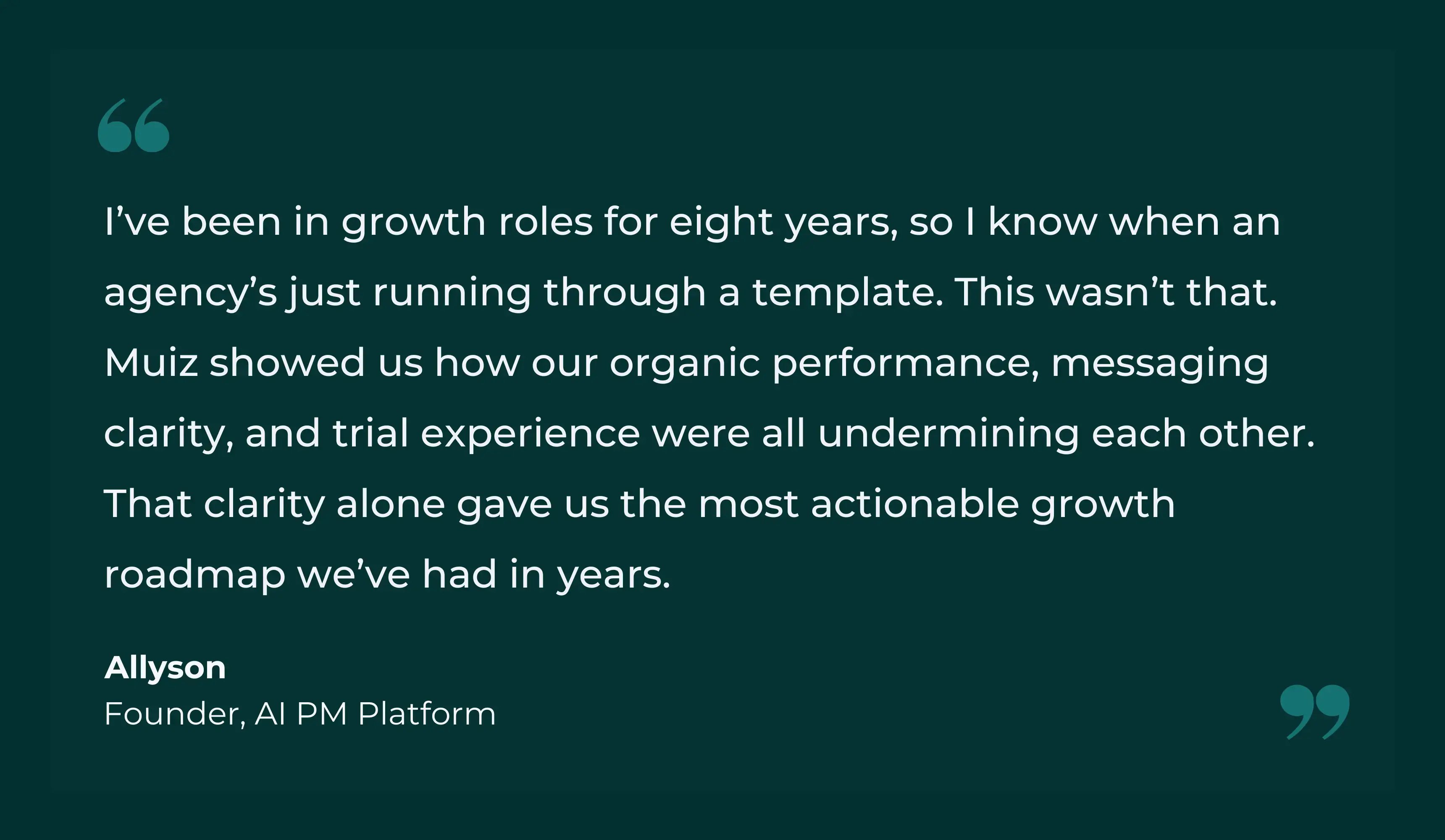
To illustrate the commercial impact of content audits, here’s how a UK-based Series A SaaS company used one to improve pipeline quality, conversion rates, and acquisition efficiency.
**Context:**
- Organic traffic: high, but only 8% influenced demo pipeline
- Trial-to-paid conversion: 12% (vs. 18-22% industry benchmark)
- Homepage converting at 1.8%; demo-to-close at 23%
**What changed:**
- **Phased timeline: Funnel diagnosis.** We evaluated content against pipeline influence, activation impact, and sales enablement value, not just traffic. This exposed duplicated topics, weak commercial messaging, and missing decision-stage assets.
- **Phase 2: Conversion-first rebuild.** Core pages shifted from feature language to measurable business outcomes. Content was restructured to support real evaluation workflows used by buyers and buying committees.
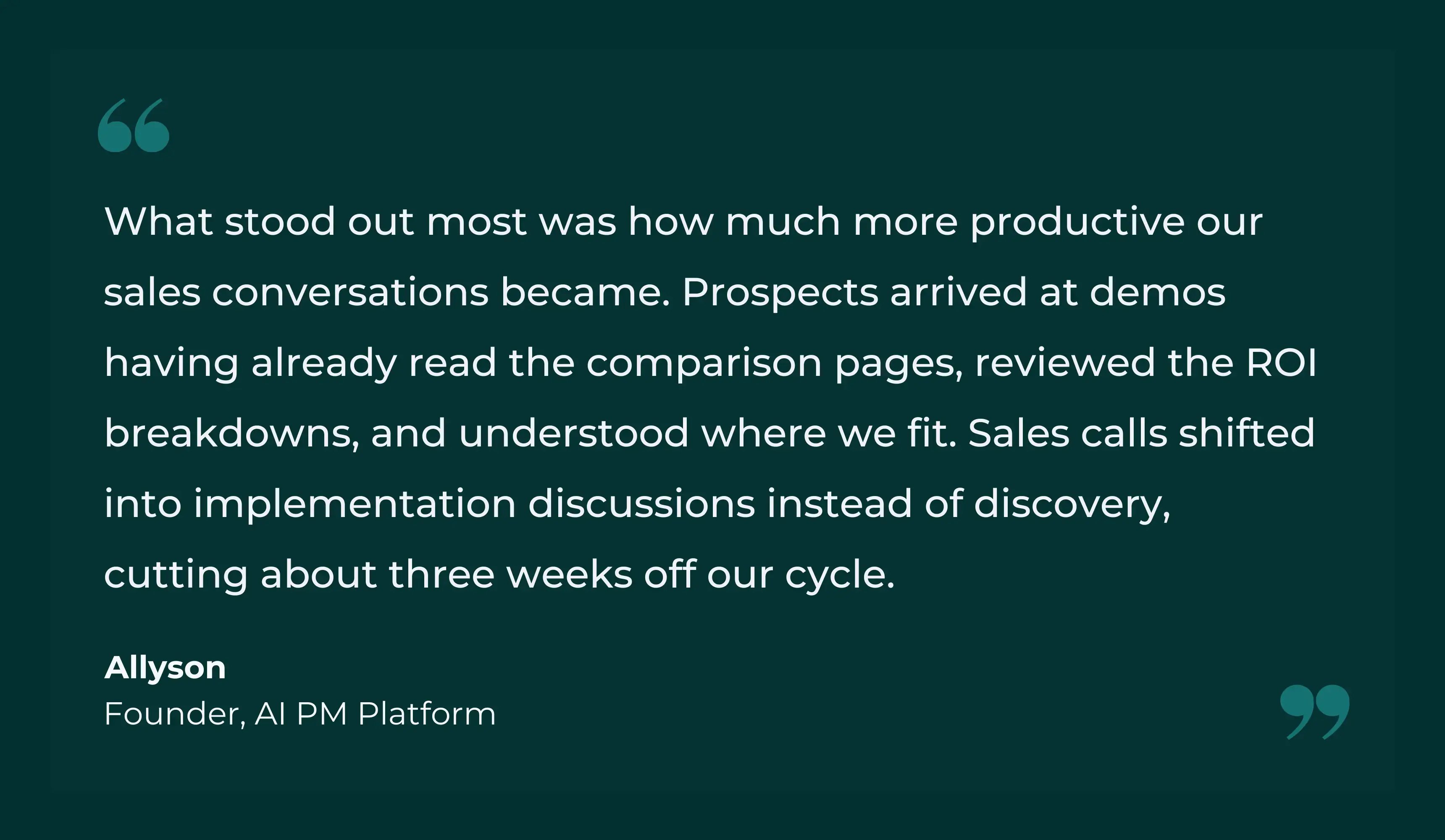
- **Phase 3: Buyer enablement at scale.** We [created high-intent content](https://www.seo-growup.com/b2b-saas-content-marketing-agency) on comparisons, ROI, and implementation, cutting down sales education time while improving demo quality.
**Impact (within one quarter):**
- Demo signups up **178%**
- Trial-to-paid conversion up **62%**
- CAC down **38%**
- Sales cycles shortened by ~3 weeks
****
[**Read the full case study here.**](https://www.seo-growup.com/ai-pm-platform-case-study)
## Making Audits Operational
Most teams run a [comprehensive audit,](https://docs.google.com/spreadsheets/d/1uTSXUXbP49n5pwV1cF4XWklcaddh96d2ms_mRq-Mlz8/edit?usp=sharing) see great results, then let content drift for another eighteen months until problems resurface. Don’t do that.
Build auditing into your content operations:
| Audit Type | What to Do |
| --- | --- |
| **Quarterly Reviews** | Review content published that quarter. Score it using your evaluation framework. Make keep/update/remove decisions before the library gets bloated. |
| **Monthly Health Checks** | Pick one lifecycle stage and audit just that segment. January focuses on awareness, February on acquisition, and so on. By year-end, you’ve audited everything without the massive lift of a full review. |
| **Publish-Trigger Reviews** | Every time you publish new content, audit all related existing pieces. Publishing a new integration guide? Revisit your full library of integration content to prevent redundancy and maintain message consistency. |
| **Algorithm Update Responses** | When major search algorithm updates hit, run a targeted audit of traffic-sensitive content. If you took a traffic hit, identify which pieces got buried and either improve or remove them. |
If you’re looking to build this into a repeatable process for your team, we’ve put everything we know about the intersection of technical health and content performance into our**[complete SEO audit resource hub](https://www.seo-growup.com/b2b-saas-seo-audit-guide)**. It’s designed to help you move from reactive fixes to a durable organic acquisition engine.
Or if you’d rather not do this yourself, we’ll handle the audit, strategy, and execution end-to-end.
[Schedule a Consultation](https://www.seo-growup.com/get-in-touch)

Author
Muiz Thomas [in](https://www.linkedin.com/in/muiz-thomas-seo/)
Founder & CMO, GrowUp
Muiz leads GrowUp, a B2B SaaS search marketing agency focused on revenue growth. He’s helped clients generate £5M+ in qualified pipeline across construction tech, AI platforms, and enterprise software. Data-obsessive, perpetually overcaffeinated, and holds sales teams more accountable than their own leadership.
The Marketing Brief
by GrowUp
Get monthly GTM strategies, campaign breakdowns, and category trends we’re seeing across high-growth B2B SaaS teams.
Which best describes you? Founder / CEO CMO / VP Marketing Head of Growth / Demand Gen Fractional CMO / Consultant Investor / Board Member
SUBSCRIBE TO THE BRIEF →
### Is your SEO investment actually connected to pipeline growth?
Find out exactly which parts of your funnel SEO is supporting, and which gaps are stalling demos and trials.
[REQUEST YOUR AUDIT →](https://www.seo-growup.com/seo-audit-for-b2b-saas-companies)
Share This Post

We help B2B SaaS teams turn search into a proven revenue channel through GTM-aligned SEO and content.
Get in Touch
The Marketing Brief
by GrowUp
Monthly GTM insights we use to drive SQLs and scale MRR for high-growth B2B SaaS companies.
Email\*
Which best describes you Founder / CEO CMO / VP Marketing Head of Growth / Demand Gen Fractional CMO / Consultant Investor / Board Member
SUBSCRIBE TO THE BRIEF →
### Services
- [B2B SaaS SEO Consulting](https://www.seo-growup.com/seo-consultancy-for-b2b-saas-companies)
- [B2B SaaS Content Marketing](https://www.seo-growup.com/b2b-saas-content-marketing-agency)
- [B2B SaaS SEO Audit](https://www.seo-growup.com/seo-audit-for-b2b-saas-companies)
- [GTM Advisory](https://www.seo-growup.com/go-to-market-advisory-for-b2b-saas)
- [SEO for Startups](https://www.seo-growup.com/b2b-saas-startup-seo-agency)
- [SEO for Scale-Ups](https://www.seo-growup.com/seo-agency-for-b2b-saas-scaleups)
- [SEO for Enterprises](https://www.seo-growup.com/enterprise-b2b-saas-seo-agency)
### Legal
- [Privacy Policy](https://www.seo-growup.com/privacy-policy)
- [Terms & Conditions](https://www.seo-growup.com/terms-and-conditions)
### Resources
- [SEO Partner Hub](https://www.seo-growup.com/choosing-a-b2b-saas-seo-partner)
- [Blog](https://www.seo-growup.com/growup-blog)
- [eBooks & Templates](https://www.seo-growup.com/ebooks-and-templates)
- [GTM Prompt Library](https://www.seo-growup.com/gtm-prompt-library)
- [Past Newsletters](https://www.seo-growup.com/newsletter)
### Company
- [Why GrowUp](https://www.seo-growup.com/why-growup)
- [Success Stories](https://www.seo-growup.com/success-stories)
- [Pricing](https://www.seo-growup.com/b2b-saas-marketing-services-and-pricing)
- [Contact Us](https://www.seo-growup.com/get-in-touch)
×

## Is Your SaaS Invisible in ChatGPT, Perplexity and Other LLMs?
Get a comprehensive AEO & AI Search Audit to see where you rank across LLMs and how to capture AI search traffic.
[VIEW SAMPLE REPORT](https://www.seo-growup.com/blog/ai-search-visibility-audit-sample) [REQUEST AN AUDIT](https://www.seo-growup.com/get-in-touch)
★★★★★
“Hands down the most actionable insights we’ve received.”

Savas Vedova
Founder, Stormkit
[](https://www.seo-growup.com)
Services
Core Services
[**LLM SEO** Get cited in ChatGPT, Perplexity and Google AI answers. →](https://www.seo-growup.com/llm-seo-agency-for-b2b-saas-companies) [**Web Design** High-converting websites for complex B2B products. →](https://www.seo-growup.com/b2b-saas-web-design-agency) [**$4.7M** Content-influenced pipeline generated *Read case study →*](https://www.seo-growup.com/blog/ai-pm-platform-case-study)
More Services
[SEO Audit](https://www.seo-growup.com/seo-audit-for-b2b-saas-companies) [SEO Consultancy](https://www.seo-growup.com/seo-consultancy-for-b2b-saas-companies) [Fractional SEO](https://www.seo-growup.com/fractional-seo-consultancy-for-b2b-saas-companies) [Content Marketing](https://www.seo-growup.com/b2b-saas-content-marketing-agency) [Web Copywriting](https://www.seo-growup.com/b2b-saas-copywriting-agency) [SEO Link Building](https://www.seo-growup.com/b2b-saas-link-building-agency) [All services →](https://www.seo-growup.com/b2b-saas-seo-services)
By Stage
[Startups](https://www.seo-growup.com/b2b-saas-startup-seo-agency) [Scale-Ups](https://www.seo-growup.com/seo-agency-for-b2b-saas-scaleups) [Enterprises](https://www.seo-growup.com/enterprise-b2b-saas-seo-agency)
By Sector
[FinTech](https://www.seo-growup.com/fintech-seo-agency) [HR Tech](https://www.seo-growup.com/seo-agency-for-hr-tech) [EdTech](https://www.seo-growup.com/seo-agency-for-ed-tech) [ConTech](https://www.seo-growup.com/construction-tech-seo-agency)
Strategy / Content / Tech / Growth
### More visibility. More pipeline.
We combine strategy, UX, design and development to create websites that support demand generation, sales and brand growth.
[Explore our approach](https://www.seo-growup.com/why-growup)
Our Work
[Portfolio](https://www.seo-growup.com/web-design-portfolio) [Success Stories](https://www.seo-growup.com/success-stories)
[Pricing](https://www.seo-growup.com/pricing)
[Why GrowUp?](https://www.seo-growup.com/why-growup)
Resources
[Blog](https://www.seo-growup.com/growup-blog)
Hub
[Vetting SEO Partners](https://www.seo-growup.com/choosing-a-b2b-saas-seo-partner) [Audit Engagements](https://www.seo-growup.com/b2b-saas-seo-audit-guide)
[eBooks & Templates](https://www.seo-growup.com/ebooks-and-templates) [GTM Prompt Library](https://www.seo-growup.com/gtm-prompt-library) [Past Newsletters](https://www.seo-growup.com/newsletter) [Glossary](https://www.seo-growup.com/glossary)
[Get In Touch](https://www.seo-growup.com/get-in-touch)
```json
{
"@context" : "https://schema.org",
"@type" : "BlogPosting",
"author" : {
"@type" : "Person",
"name" : "Muiz Thomas",
"url" : "https://www.seo-growup.com/blog/author/muiz-thomas"
},
"dateModified" : "2026-03-02T12:07:03.823Z",
"datePublished" : "2026-02-05T10:02:19.000Z",
"headline" : "How to Audit B2B SaaS Content for Revenue Impact (Free Template)",
"image" : [ "https://www.seo-growup.com/hubfs/How%20to%20Run%20Content%20Audits%20for%20B2B%20SaaS.webp" ],
"mainEntityOfPage" : {
"@id" : "https://www.seo-growup.com/blog/b2b-saas-content-audit-guide",
"@type" : "WebPage"
},
"publisher" : {
"@type" : "Organization",
"logo" : {
"@type" : "ImageObject"
},
"name" : "GrowUp"
}
}
```
```json
{
"@context" : "https://schema.org",
"@type" : "ProfessionalService",
"address" : {
"@type" : "PostalAddress",
"addressCountry" : "GB"
},
"alternateName" : "GrowUp SEO",
"areaServed" : {
"@type" : "Place",
"name" : "United Kingdom"
},
"audience" : {
"@type" : "Audience",
"audienceType" : [ "B2B SaaS Founders", "CMOs", "VPs of Marketing", "In-House Marketing Teams" ]
},
"award" : [ "Most Creative SEO Agency - Martech Awards", "SME News Midlands Enterprise Awards" ],
"description" : "Search marketing agency for B2B SaaS companies. We help teams turn organic and AI search into a fully accountable revenue channel with clear attribution to demos, pipeline, and measurable MRR.",
"email" : "mailto:hello@seo-growup.com",
"founder" : {
"@type" : "Person",
"name" : "Muiz Thomas"
},
"hasOfferCatalog" : {
"@type" : "OfferCatalog",
"itemListElement" : [ ],
"name" : "B2B SaaS Growth Services"
},
"knowsAbout" : [ "B2B SaaS SEO", "Search Engine Optimisation", "Content Marketing", "Go-to-Market Strategy", "SaaS Marketing", "Pipeline Generation", "Revenue Attribution", "AI Search Optimisation" ],
"name" : "GrowUp",
"priceRange" : "£3500+",
"sameAs" : [ "https://www.linkedin.com/company/b2b-saas-seo-agency/", "https://www.instagram.com/seo.growup/" ],
"serviceType" : [ "SEO Consulting", "Content Marketing", "GTM Advisory", "SEO Audit" ],
"slogan" : "Organic & AI Search Programs Built to Deliver SQLs, Pipeline and Measurable MRR",
"url" : "https://www.seo-growup.com/"
}
```